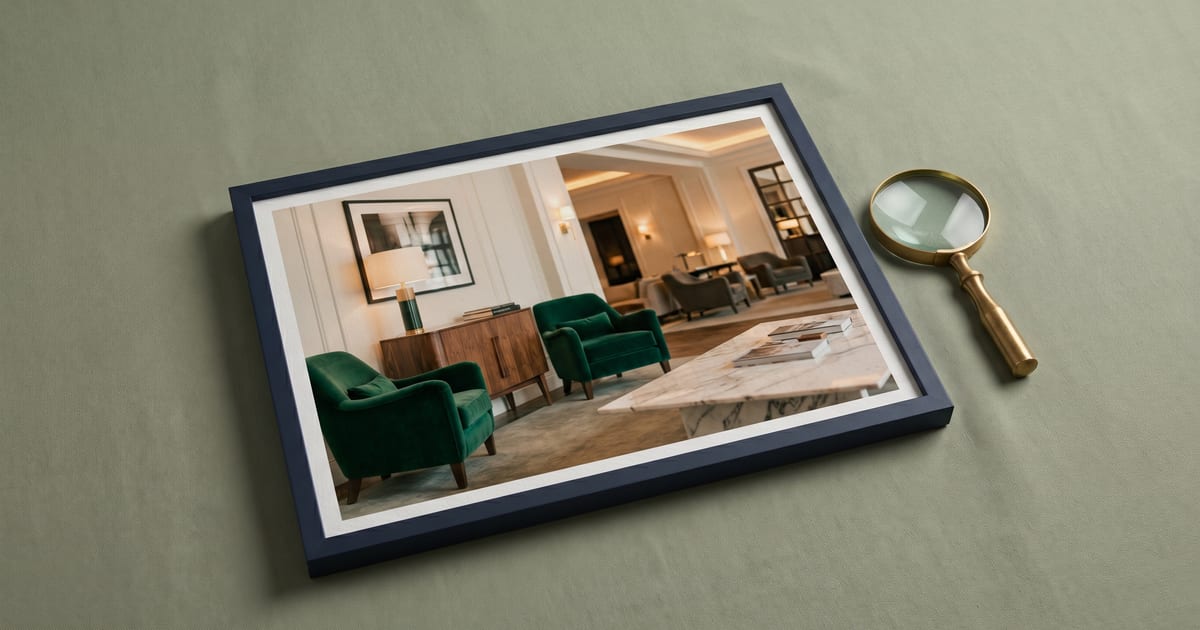
The Perfect Hotel Lobby Photo
Sources: Booking.com Partner Hub and 2019 Photography Guide PDF, Expedia EG Image API category enumeration, Google Hotel Center Help, three peer-reviewed academic studies on lobby atmosphere and visual comfort, the HICNet hotel image classification benchmark, and three named hotel examples (Hotel Costes Paris, The Hoxton Shoreditch, Ace Hotel Toronto).
Key takeaways
The exterior photo decides the first arrival impression. The lobby photo decides the second. Cornell eye-tracking research found that within the seven-property consideration set, image fixations dominate every other content type, ahead of price and reviews 1. Countryman and Jang's 2006 paper ranked color, lighting, and style as the three strongest of the six atmospheric elements that drive lobby impression 2.
The load-bearing finding from this research round is messier than the photography spec. Major OTAs disagree on whether lobby and reception are one upload bucket or two. Booking treats them as a combined "Lobby/reception" facility 3. Expedia's EG Image API splits them into ten distinct enums 4. Google recommends "lobby/reception area" as a single combined photo type 5. That mismatch is why a corridor photo published as "lobby" passes Booking's filter but fails Expedia's, and why OTALift's lobby-coverage analyzer has to track sub-types internally even when the OTA upload uses the parent category.
Most independent hotels treat the lobby as filler. The common failure modes catalog the five patterns that hit most often, including the corridor-mislabeled-as-lobby pattern HICNet's hotel image classification benchmark surfaces at real-world scale. The step-by-step fix gives the spec a phone-only operator can hit without hiring a photographer.
Why it moves bookings
The exterior tells the traveler what the street looks like. The lobby tells them what the next two minutes after they walk through the door look like. If the exterior is plain or generic, the lobby is also the most likely candidate for the listing's hero photo, the slot that decides whether the click happens at all.
Cornell's Noone and Robson eye-tracking study, 32 participants booking hotels online, found that within a consideration set of about seven properties travelers fixate most on images, ahead of descriptions, price, or ratings 1. Hotel-generated photos are sought out far more than user-generated. The browsing fixation window is under two seconds per image. The lobby has to communicate ambiance, scale, and quality in that window or it loses.
Countryman and Jang's 2006 paper in the International Journal of Contemporary Hospitality Management surveyed customer impressions of six atmospheric elements in hotel lobbies: color, lighting, style, layout, furniture, and additional decoration. Color, lighting, and style ranked as the three most influential 2. Harsh midday sun blowing out window highlights or a clinical fluorescent flood are not just stylistic flaws. They corrupt the most influential atmospheric signals the photo carries.
Geng et al.'s 2023 PLOS One paper on visual comfort scored hotel lobby spaces by lighting type, color palette, and decoration density 6. Higher comfort correlated with warm-temperature ambient light and medium decoration density. Cold-temperature flood scored lowest. That rules out the harsh-noon shoot and the everything-on-the-counter arrangement before composition enters the picture.
Lin's 2020 "Lobbyscape" paper extends the framing with the ASAP model: Architecture, Sensory, Ambient, People 7. Only Architecture and Sensory carry through a still image. Ambient is invisible. People is the failure mode that gets photos rejected.
Booking.com names photos as a direct input to its Property Page Score. Public-area coverage is one of the photo metrics, and properties with missing common-area photos lose points 8. Per-category weights are not published.
What "great" looks like
A great lobby photo does three things at once. It carries brand identity at a glance, it lets the viewer rehearse arrival, and it clears the rejection rules every major OTA publishes. The three named hotels below cover three different archetypes.
Hotel Costes, Paris (designer-living-room)
Costes sits behind a Haussmann facade on Rue Saint-Honoré that looks like every other Haussmann facade on Rue Saint-Honoré 9. Without the lobby photo, Costes would be visually indistinguishable from the next building. Deep oxblood and gold tones, charcoal trim, layered seating in the foreground, reception desk offset to the side, warm ambient lamps on, ceiling overheads dimmed. The image reads as designer living room, not hotel reception. Exterior generic. Interior is the product. The lobby photo carries the entire brand promise.
The Hoxton Shoreditch, London (urban arrival-angle reception)
Hoxton's lobby reads as the lifestyle-hotel default. Reception desk in the foreground at a thirty to forty-five degree arrival angle, lounge with deliberately mismatched vintage seating in the background, signature wordmark visible without sponsor logos 10. Mid-day natural light from large street-facing windows balanced by warm tungsten interior lamps. The composition matches Andrew Bordwin's published arrival-angle convention: desk in foreground, lounge behind, single architectural anchor. One frame tells the arrival story. The desk is where check-in happens. The lounge is where coffee happens. The wordmark is the brand.
Ace Hotel Toronto (signature architecture)
Walk in and the timber atrium does the talking 11. Plain warehouse-shell facade outside, full-height timber atrium inside, exposed structural columns spanning the lobby ceiling. Eye-level camera, twenty-four millimeter wide-angle within the Booking spec range, no fisheye. Warm interior lamps with the timber ceiling structure visible. The architectural feature does the brand work. Exterior would underwhelm. Lobby overdelivers. This is the case where the lobby is hero by default, not by choice.
What the three have in common
Warm ambient lamps on, ceiling overheads dimmed, no people in frame, layered seating, a single architectural anchor, twenty-four to thirty-five millimeter focal length, eye-level camera. Those defaults match Booking's 2019 Photography Guide spec 3, Geng et al.'s warm-temperature comfort finding 6, and Countryman and Jang's color and lighting weight 2. The hotels that get this right are running the rulebook everyone else has access to.
The OTA classification matrix nobody publishes
Major OTAs do not agree on whether lobby and reception are one upload bucket or two, and only Expedia's developer API splits them explicitly. The matrix below is compiled directly from each OTA's published partner documentation.
| OTA | Lobby category | Reception category | Corridor or hallway |
|---|---|---|---|
| Booking.com 3 | "Lobby/reception" (combined) | Same as lobby | Not a separate category |
| Expedia EG Image API 4 | LOBBY, LOBBY_LOUNGE, LOBBY_SITTING_AREA | RECEPTION, RECEPTION_HALL, CONCIERGE_DESK, CHECK_IN_CHECK_OUT_KIOSK | HALLWAY, INTERIOR_ENTRANCE, PROPERTY_ENTRANCE |
| Google Hotel Center 5 | "lobby/reception area" (combined) | Same as lobby | Not a recommended category |
| Vrbo 12 | Not a category for whole-home rentals | Same | Not a category |
| Airbnb 13 | Common areas, no lobby split | Same | Not separated |
Booking's 2019 Photography Guide lists "Lobby/reception" verbatim with the slash, treating both as one facility-photo bucket 3. Expedia enumerates ten separate values for what Booking collapses into one. Google recommends a single combined "lobby/reception area" photo 5. Vrbo does not have a lobby category at all because its inventory is whole-home rentals. Airbnb treats lobby as common-areas without splitting reception 13.
Why the mismatch matters in practice
Three operational consequences fall out of that table.
Upload routing first. A concierge-desk photo has to be tagged CONCIERGE_DESK on Expedia and dropped into the combined Booking bucket. Same image, two destinations, two metadata tags. If you push twenty photos via Expedia's Property API tagged LOBBY, the API does not return error messages when an image is rejected, and you will not know which ones got published unless you count the gallery against the upload 14.
Then the corridor-mislabeled-as-lobby failure pattern. HICNet, the hotel image classification benchmark, reaches seventy-nine percent precision on lobby, bar, and food 15. About one in five images in real OTA datasets land in the wrong bucket. Booking accepts the misclassification because the combined bucket is forgiving. Expedia rejects because HALLWAY is its own enum.
Then the analyzer. The internal taxonomy has to support both views: granular sub-types matching Expedia's enums for detection, plus a parent category that maps to Booking's combined bucket on upload. Without that two-layer model, a property with five great corridor photos and zero real lobby photos would pass the lobby-coverage check on Booking and fail it on Expedia, with no diagnostic to explain why.
Common failure modes
Five patterns hit most often. Four of them inherit from the rejection-family rules cataloged in the sibling article on what OTAs reject. The fifth is the corridor-mislabeled pattern the classification matrix above predicts and the HICNet benchmark validates.
Failure 1: staff visible at reception without release
Lobbies are the highest-risk room for accidental people-in-frame. Reception desks have guests checking in. Lounges have guests reading. Booking's 2019 Photography Guide line 447 bans "Photos of guests, models or property owners" without a release on file 3. Mitigation: shoot off-peak (five to seven in the morning, two to four in the afternoon) when foot traffic drops between checkout and check-in waves. If staff must be in frame, get a signed release.
Failure 2: promotional signage and sponsor logos at the lobby desk
Welcome screens with rates, sponsor logos at the concierge desk, branded coffee-cup stands, partner-program decals on the door. Booking's 2019 Photography Guide line 449 bans "Photos of logos, branding, awards or contact details" 3. The hotel does not always think of these as branding because they are part of operations. The OTAs do. Two minutes of staging fixes it: cover or remove every third-party surface, then check the final frame for caught logos in reflections off polished desk fronts.
Failure 3: midday harsh window light blowing out exposure
Mixed lighting is the lobby's structural weakness. Warm interior lamps run at around twenty-seven hundred Kelvin. Cool window daylight runs fifty-five hundred and up. The dynamic range exceeds most cameras, and HDR applied to compensate trips Booking's "Filters, strong contrast, over-saturations or excessive HDR" prohibition 3. Geng et al. confirm cold-temperature flood is the worst-scored lobby lighting 6. Shoot golden hour or blue hour, curtains slightly drawn. No HDR.
Failure 4: cluttered reception counter
Open guest registries, branded coffee cups, brochures, stacked newspapers, cleaning supplies, abandoned guest luggage. The reception looks operational instead of inviting. Geng et al.'s decoration-density scoring favors medium over high or low 6. The photographer-portfolio convention from Eric Laignel, Adrian Houston, and Andrew Bordwin stages reception with one or two intentional decorative pieces, never operational paperwork. Clear the desk. Style with one floral arrangement or one framed art piece. Verify the final frame.
Failure 5: corridor mislabeled as lobby
The pattern the classification matrix predicts and HICNet's seventy-nine percent precision validates 15. A long, narrow corridor photo gets tagged "lobby" because the staffer who tagged it walked past the lobby on the way to that hallway, or because an imported feed rolled multiple corridor angles into a common-area pile. Symptoms: long-narrow framing, vanishing-point composition, doorways flanking the camera, no seating, no reception desk, no architectural anchor.
Booking accepts the misclassification. Expedia does not. The image dilutes lobby category coverage on Booking and fails QA on Expedia. The mitigation is a re-categorization pass before upload: corridors go to HALLWAY for Expedia. On Booking, the Extranet has no "remove from common-area" toggle, so re-categorize the photo to a different facility (restaurant, breakfast room, exterior entrance) if it fits, or delete and replace with a real lobby capture.
Step-by-step fix
Walk every lobby photo through these checks before you push.
- Classify the space before you shoot. Lobby (destination, seating, reception visible)? Reception (desk-centric, transactional)? Hallway (passage between rooms)? Interior or property entrance (transition from outside)? The Expedia enum split forces this decision, and resolving it before the shoot saves a re-categorization pass at upload. If your property is a small inn or B&B with only a reception desk and front door, no separate lobby seating area, tag as RECEPTION on Expedia and drop the same image into Booking's combined "Lobby/reception" bucket.
- Pick the arrival angle. Stand where a guest stands. Eye-level camera, one hundred to one hundred sixty centimeters. Twenty-four to thirty-five millimeter focal length, no fisheye. Tripod. Shoot from corners for depth 3.
- Stage the space. Warm ambient lamps on. Ceiling overheads dimmed. Curtains drawn or open depending on time of day. TVs and monitors off (Booking's 2019 Photography Guide line 452 bans turned-on TVs 3). One floral arrangement or one framed art piece on the desk. No rate cards, welcome screens, or third-party logos.
- Time the shoot for off-peak. Five to seven in the morning, or two to four in the afternoon. No staff or guests in frame unless model releases are signed. Check reflections.
- Light it warm. Avoid noon harsh light. Golden or blue hour. Warm-temperature ambient wins, cold flood loses 6. No HDR.
- Two-shot strategy. One wide showing the arrival sequence. One detail shot of a signature design element. Tag the wide as LOBBY or LOBBY_LOUNGE on Expedia, the detail as LOBBY_SITTING_AREA. Drop both into Booking's combined "Lobby/reception" bucket.
- Hit the resolution floor. Minimum 2048 by 1080 pixels in landscape. Booking's 2019 Photography Guide spec 3. Smaller fails Booking outright. Larger (up to nineteen megabytes, four thousand by three thousand pixels recommended) gives the rendering pipeline more room.
- Tag for upload by destination. Booking and Google take the combined tag. Expedia takes the granular enum (LOBBY, LOBBY_LOUNGE, LOBBY_SITTING_AREA, RECEPTION, RECEPTION_HALL, CONCIERGE_DESK, CHECK_IN_CHECK_OUT_KIOSK, HALLWAY, INTERIOR_ENTRANCE, PROPERTY_ENTRANCE) 4. Vrbo and Airbnb route through common-areas equivalents 1312. If you push images via a channel manager (SiteMinder, RateGain, Cloudbeds), the platform usually locks each image to a single category tag. Push the granular Expedia enum upstream and let the channel manager collapse it into Booking's combined bucket on the way out, never the reverse.
- Audit against the rejection ruleset. People, branded broadcasts, watermarks, image quality, false advertising. The five-family check from the sibling article on what OTAs reject. Any failure, the photo does not push.
Self-audit checklist
Run this on every lobby photo on your listing, before push.
- Lobby visible from the arrival angle a guest experiences
- No staff or guest faces in frame, unless model-released
- No promotional signage, sponsor logos, or partner-program decals
- No turned-on TV or monitor screens visible
- Counter is clear of operational clutter (registries, brochures, cleaning supplies, stacked luggage)
- Warm ambient lamps on, ceiling overheads dimmed
- Mixed lighting balanced (curtains drawn or shoot at golden hour, no HDR halos around windows)
- Landscape orientation, minimum 2048 by 1080 pixels
- Twenty-four to thirty-five millimeter focal length, no fisheye distortion
- No filters, no black-and-white, no over-saturation
- Distinct from corridor or elevator photos in your gallery
- Tagged correctly per OTA: combined "Lobby/reception" for Booking and Google, granular enum for Expedia, common-areas for Airbnb and Vrbo
How OTALift surfaces this
OTALift's listing-audit report runs PhotoQualityValidator and PhotoPresenceValidator across every gallery photo. PhotoQualityValidator measures the technical and content-rule items in the self-audit above. PhotoPresenceValidator measures coverage gaps, including whether a property has any lobby photo at all. Both flags deep-link into this article so the operator sees the OTA's own published rule, not just our interpretation.
The classification matrix above is the analyzer rebuild's load-bearing input. The internal photo_category_id taxonomy now needs to track Expedia's ten lobby and reception enums as sub-types under a parent lobby_reception category that maps to Booking's combined bucket on upload. The corridor disambiguation HICNet validates becomes a downgrade signal on lobby classification confidence: long-narrow framing, vanishing-point composition, no-seating, doorways-flanking. That is the next signal we are building into the analyzer.
Related articles
- The Perfect Hotel Exterior Photo
- The Bedroom Photo That Converts
- What OTAs Reject in Hotel Photos, and Why
- Pillar: How OTA Ranking Algorithms Actually Work
Sources and methodology
Three honest gaps remain. There is no Cornell-specific lobby trust-signal study; Noone and Robson 2014 is a consideration-set fixation paper, not lobby-specific. Booking does not publish per-category weights inside the Property Page Score, so the body says "common-area coverage is a photo-quality input" without claiming a number. OTA-listing screenshots and live failure-mode listings are flagged for a follow-up Playwright pass before this article is promoted from review to ready. Those gaps are tracked in research/our-data-gaps.md.
Footnotes
-
Noone, B., and Robson, S. K. A. (2014). Using Eye Tracking to Obtain a Deeper Understanding of What Drives Online Hotel Choice. Cornell University Center for Hospitality Research. 32 participants. https://hdl.handle.net/1813/71105 ↩ ↩2
-
Countryman, C. C., & Jang, S. (2006). The effects of atmospheric elements on customer impression: the case of hotel lobbies. International Journal of Contemporary Hospitality Management, 18(7), 534-545. Six atmospheric elements tested (color, lighting, style, layout, furniture, additional decoration); color, lighting, and style ranked as the three most influential. https://doi.org/10.1108/09596110610702968 ↩ ↩2 ↩3
-
Booking.com Photography Guide for Hotels (January 2019, PDF). Verbatim category list including "Lobby/reception" as a combined facility, lines 257-304. Shooting-height spec lines 389-395 (100-160 cm). Focal length 24-35 mm. Resolution 2048×1080 minimum, 4000×3000 recommended, 19 MB max file size, lines 379-381. Prohibitions on turned-on TVs (line 452), people in frame (line 447), branded surfaces (line 449), HDR and filter excess (line 431), and over- or under-exposure (line 459). https://partner.booking.com/sites/default/files/article_attachments/XU_Photography_Guide_For_hotels_January_2019.pdf ↩ ↩2 ↩3 ↩4 ↩5 ↩6 ↩7 ↩8 ↩9 ↩10
-
Expedia Group EG Image API, "Category enumeration." Verbatim enum values: LOBBY, LOBBY_LOUNGE, LOBBY_SITTING_AREA, RECEPTION, RECEPTION_HALL, CONCIERGE_DESK, CHECK_IN_CHECK_OUT_KIOSK, HALLWAY, INTERIOR_ENTRANCE, PROPERTY_ENTRANCE. Each is a separate enum value the integrator must pick when posting an image. https://developers.expediagroup.com/supply/lodging/docs/property_mgmt_apis/image/reference/enumerations/category ↩ ↩2 ↩3
-
Google Hotel Center Help, "Add photos to your hotel listing." Lists "lobby/reception area" as a single recommended photo type for the property record. https://support.google.com/hotelprices/answer/13990458 ↩ ↩2 ↩3
-
Geng, S., Chau, K. W., Wang, Y., & Zhang, X. (2023). Visual comfort evaluation of hotel lobby spaces. PLOS One. Quantitative ratings of lobby visual comfort by lighting type, color palette, and decoration density. Higher comfort scores correlated with warm-temperature ambient light and medium decoration density; cold-temperature flood light scored lowest. https://journals.plos.org/plosone/article?id=10.1371/journal.pone.0286147 ↩ ↩2 ↩3 ↩4 ↩5
-
Lin, I. Y. (2020). Lobbyscape: an investigation of perceptions of luxury hotel lobby atmosphere. Research in Hospitality Management. ASAP framework: Architecture, Sensory, Ambient, People; 25 atmospheric elements. https://doi.org/10.1080/22243534.2020.1867378 ↩
-
Booking.com Connectivity, "Property Scores API documentation." Photo metric IDs include
property_photos_3,property_hq_photos_3, and category-coverage signals. Public-area coverage (lobby, restaurant, fitness, pool, common areas) is one input. Per-category weights are not published. Accessed 2026-04-27. https://developers.booking.com/connectivity/docs/property-scores-api/property-scores ↩ -
Hotel Costes, Paris. Lobby archetype as documented on the hotel's brand site at https://www.hotelcostes.com/en (accessed 2026-04-27): deep-tone palette (oxblood, gold, charcoal), layered seating, warm ambient lamps, ceiling overheads dimmed, no people in frame. Costes is not actively listed on Booking.com (the property does not distribute through the major OTAs), so OTA-listing capture is not applicable. ↩
-
The Hoxton Shoreditch, London. Lobby archetype as documented on the brand site at https://thehoxton.com/london/shoreditch/ (accessed 2026-04-27): reception desk in foreground at thirty to forty-five degree arrival angle, lounge with mismatched vintage seating in background, signature wordmark visible without third-party sponsor logos. Booking.com listing for cross-reference: https://www.booking.com/hotel/gb/hoxton.html. Composition matches Andrew Bordwin's published arrival-angle convention; portfolio reference at andrewbordwin.com. ↩
-
Ace Hotel Toronto. Lobby archetype as documented on the brand site at https://acehotel.com/toronto/eat-drink/the-lobby/ (accessed 2026-04-27): timber atrium spanning the full lobby height, eye-level camera, twenty-four millimeter focal length within the Booking 2019 Photography Guide spec range, warm interior lamps with the exposed timber ceiling structure visible. Booking.com listing for cross-reference: https://www.booking.com/hotel/ca/ace-toronto.html. ↩
-
Vrbo Help Center, "Photo guidelines for Vrbo listings." Confirmed lobby is not a separate category since most Vrbo inventory is whole-home rentals; common-area equivalent applies to "common spaces" of multi-unit properties only. https://help.vrbo.com/articles/Vrbo-photo-guidelines ↩ ↩2
-
Airbnb Help Center articles 746 ("Photo tips") and 3024 ("Cover-photo standards"). Common areas treated as the same category as interior; no lobby-specific split. https://www.airbnb.com/help/article/746 ↩ ↩2 ↩3
-
Expedia Group EG Connectivity Hub, "Image learn page." Silent-rejection note: "Property API does not send error messages when an image is rejected." https://developers.expediagroup.com/supply/lodging/docs/property_mgmt_apis/image/learn/ ↩
-
Tan, Ş. C., et al. (2025). Deep neural network-based tools for hotel marketing activities of online travel agents. Multimedia Tools and Applications. The hotel image classification network (HICNet) classifies hotel images into eleven categories and reaches an average of seventy-nine percent precision, sensitivity, and F1-score on the bar, food, and lobby cluster, with the paper noting label noise and visual overlap between corridor and lobby as the most common confusion class. https://doi.org/10.1007/s11042-025-20741-1 ↩ ↩2