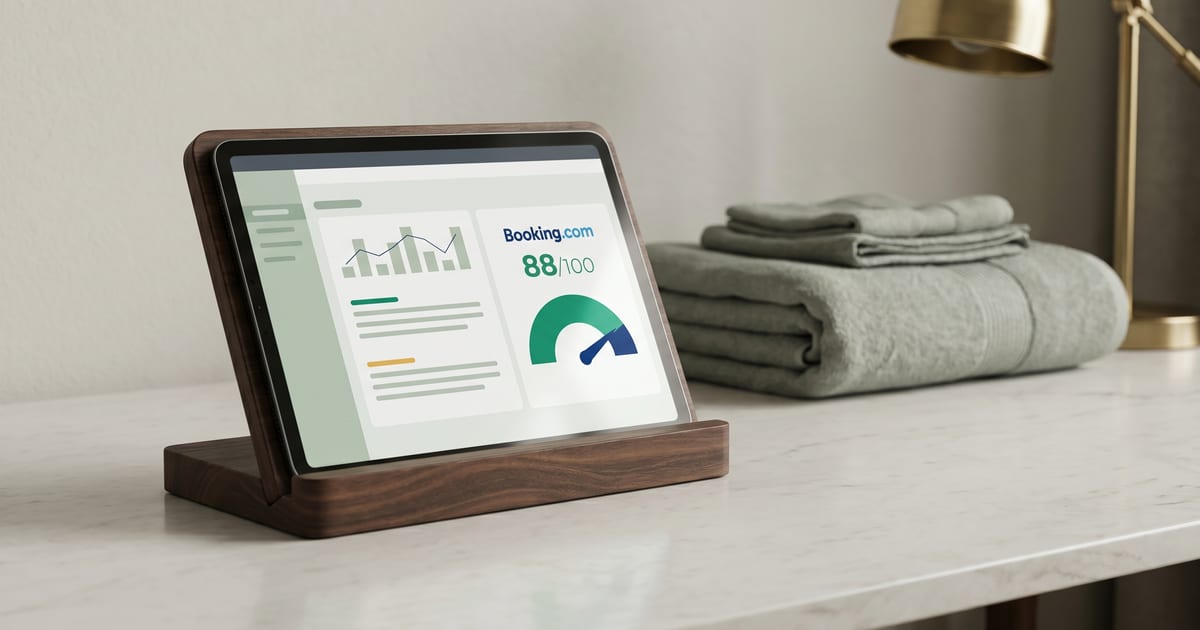
Booking.com as a Hotel Listing Venue: Extranet & Property Page Score
Sources: Booking.com for Partners (Extranet setup, photo requirements, Property Page Score, Opportunity Center, ranking and visibility, review scoring), Booking.com Connectivity developer docs (Photo API, Tags API), Booking.com 2019 Photography Guide, GuestTouch coverage of 2025 review-score recalibration. Last reviewed: 2026-04-24.
Key takeaways
Booking.com is a single-platform model. The Extranet is the one owner-facing source of truth. Content entered there renders on the Booking.com property page, and nowhere else. There is no sibling brand, no secondary surface, no cross-property fan-out. What Booking shows is what Booking holds.
The Property Page Score is the 0 to 100 percent completeness signal Booking publishes directly to the owner. Booking states that 100 percent correlates with up to 18 percent more bookings versus incomplete listings 1. That is a correlation Booking publishes as a ranking and conversion claim, not a causal guarantee. It is the clearest scoreboard any OTA gives owners, and it is worth treating as the single most actionable content signal on the platform.
Unlike Google, Booking enforces a structured photo tag taxonomy via the Tags API and honors a fixed hero photo chosen by the owner 2. Unlike Expedia, Booking auto-synthesizes a property description from facilities and location if the owner does not override, so the default description on every property is machine-composed 3. Content completeness and conversion are what Booking rewards; its ranking function treats both as primary signals.
Why it moves bookings
Property Page Score is publicly disclosed inside the Extranet. It is not a hidden signal. Booking tells the owner exactly what percent complete the listing is and exactly which fields are missing 1. The 100 percent target is explicit, and the 18 percent booking lift at 100 percent is Booking's own published statistic. For a single number that directly measures listing health, there is no stronger signal on any OTA.
Booking's ranking algorithm is optimized for conversion. The five published factors are availability, price competitiveness, conversion, reviews, and response time 4. Content Page Score is not a separate factor; it feeds the reviews and conversion factors indirectly by making the listing easier to convert against. Properties with thin content have lower click-through-to-book rates, which Booking's model reads as weaker conversion, which weakens ranking.
Review score of 8.0 or higher unlocks visibility bumps. The 2025 recalibration raised the weight of response time and recency-weighted reviews 5. A property sitting at 7.8 average but responding to every review within 48 hours may now outrank a 8.1 average property that responds to none. The mechanics shifted; the operational implication is that review response is no longer optional for ranking.
Genius program opt-in (a percent discount for Genius members) unlocks a visibility boost and the Genius badge on eligible members' searches. It is a commercial decision, not a content-score move, but the visibility lift is real enough that the program shows up in most ranking conversations. Content Score feeds Property Page Score, which feeds ranking, which feeds impressions. That chain is tighter on Booking than on either Google or Expedia because all four stages live inside the same Extranet UI.
What "great" looks like
A property at 100 percent Property Page Score, at least 40 photos across property-level and room-level galleries, every tag category populated via the Tags API. The Opportunity Center shows zero outstanding recommendations. The owner-written description overrides the machine-composed default. Every facility that exists at the property is declared both at the property level and at the room level where applicable.
A property with tightly-ordered room types, at least 4 photos per room type plus 1 bathroom per room, no duplicate images across rooms, every structural tag applied. Bathroom photos show the shower, not just the sink. Room photos show the bed and a wider angle. Property building photos show the facade in daylight.
A property with expressively segmented rate plans (Flexible, Non-Refundable, Genius, Mobile, Early Booker) and differentiated cancellation terms per rate plan. The owner understands that Booking rewards rate-plan variety because it widens the conversion surface: different travelers convert on different rate plans, and a property that only offers one plan is implicitly excluding the rest.
Common failure modes
Sitting at the 10-photo minimum. Technically compliant but below Booking's own 20-plus views-lift threshold from 2019 internal data 6. A property at 10 photos meets the submission requirement and leaves half the achievable view lift on the table. The upgrade path is not complicated: more photos, more coverage, more tags.
Auto-synthesized description left un-overridden. The default description is machine-composed from facilities and location when the owner does not override 3. It is generic by design. An owner-written override consistently outperforms the default because it carries character, neighborhood detail, and heritage context that the structured fields cannot express. This is one of the highest-impact edits available on the platform.
Missing structured photo tags. Booking's /tags API defines specific tags like Shower, Toilet, Patio, and Property building. An untagged photo does not land in its right-gallery slot 2. The photo still shows up in the main property-page gallery, but it skips the dedicated bathroom, bedroom, or amenity slot where a traveler looking for that specific view would find it. Structured tagging is a conversion surface, not just a categorization chore.
Duplicate image hashes across room types. Booking's review pipeline detects reused photos. The issue surfaces in the Opportunity Center and caps the Property Page Score 7. Properties with a single bed photo used across three room types trigger this flag. The fix is photograph each room type distinctly, even if two rooms genuinely look similar.
Slow review response. The 2025 recalibration made response time a stronger ranking signal. Properties without a response workflow lose ground regardless of their aggregate score 5. The platform now reads fast responses as engagement, which feeds the reviews factor, which feeds ranking.
Thin facilities data. Missing amenities cap the Property Page Score below 100 percent regardless of photo quality 1. A property with excellent photography and incomplete facilities is penalized in the score that directly correlates with the 18 percent booking lift. Photos do not compensate for missing structured data on Booking.
Ignoring the Opportunity Center. Booking's personalized recommendation engine sits inside the Extranet and flags specific gaps with expected booking-uplift estimates 8. Properties that do not check it miss the one place where Booking itself publishes its prioritized fix list.
Step-by-step fix
-
Open Property Page Score in the Extranet. Work every red and amber line to green. Booking tells the owner exactly what is missing 1. The score is calculated live, so fixes update the display within minutes. Treat the 100 percent target as non-negotiable.
-
Use Opportunity Center as the to-do list. Its personalized recommendations (photos, amenities, descriptions) are Booking's own published signals 8. Cross-reference with OTALift recommendations and do not duplicate effort. Opportunity Center is sorted by Booking's own estimated booking lift, so it is already prioritized.
-
Fill facilities at property and room level. Settings, Properties, Description for property. Settings, Properties, Rooms, Setup for each room 9. Every facility that exists physically at the property should be declared here. If breakfast is free, declare it. If parking is on-site, declare it. Omitted facts are missing fields to Booking's scoring model.
-
Upload at least 20 property photos. Minimum 2048x1080 pixels, recommended 4000x3000, landscape only 6. At least 4 per room and 1 bathroom per room. The 20-photo threshold hits Booking's internal views-lift line. Going higher continues to help but with diminishing returns.
-
Apply structured tags to every photo via the Extranet UI or the Photo API. The
/tagsendpoint returns the full tag inventory 27. A photo without a tag does not land in its gallery slot, which is a conversion loss. Tag every photo, including the ones that seem self-explanatory. -
Write a distinctive property description. Override the default auto-synthesized one 3. Focus on what the structured fields cannot express: character, neighborhood, heritage, the specific experience of staying at this property rather than a generic hotel in this city.
-
Segment rate plans. Minimum: Flexible plus Non-Refundable. Consider: Weekly, Early Booker, Mobile Rate, Genius. Differentiate cancellation terms so travelers with different booking windows and risk tolerances find a plan that fits their pattern.
-
Set a review-response SLA. Respond within 72 hours (Booking's moderation window); prioritize 3-star and below 5. A consistent response workflow feeds the reviews factor, which has higher weight post-2025 recalibration.
Soft recommendations
-
Watch Property Page Score weekly after major content changes. The score catches field-regression faster than bulk-checking Opportunity Center. A content edit that accidentally clears a facilities field shows up as a Property Page Score drop within hours.
-
Run a photo-ordering check quarterly. The main property-page hero is fixed once set, but search-result thumbnails may rotate. Verify the default thumbnail is a hero or exterior shot, not a bathroom photo that happened to be uploaded first.
-
If the property hits Genius eligibility thresholds, run the math on the percent discount versus the visibility lift. Genius opt-in is a commercial decision, not a content-score move. For properties with weak organic visibility, the lift is often worth the discount; for properties already ranking well, the math is tighter.
-
Use the Opportunity Center's expected-uplift figures as rough prioritization, not as absolute forecasts. They are Booking's model estimates based on your property's current state, not guarantees.
Self-audit checklist
- My Property Page Score is at 100 percent (or within 5 percent).
- I have at least 20 property photos, at least 4 per room type, 1 bathroom per room.
- All amenities and facilities are structured, at both property and room level.
- Every photo has a structured tag.
- The owner-written description overrides the default auto-generated one.
- At least one Flexible and one Non-Refundable rate plan exists for each room type.
- Review-response SLA is 72 hours or less; 100 percent of reviews below 5 stars have a response.
- Review-score aggregate is 8.0 or higher (or a written plan to get there exists).
How OTALift surfaces this
OTALift's listing-audit report maps OTALift's content taxonomy onto Booking's structured fields. PhotoPresenceValidator enforces Booking's per-tag slot coverage via the /tags inventory, so a missing Shower photo or a missing Property building shot is flagged by tag name rather than by generic category. ContentFacilitiesValidator flags amenities missing from the Property Page Score input set, using Booking's own scoring schema as the target state. GuestEngagementValidator surfaces review-response gaps against Booking's 72-hour moderation window and scores compliance against the post-2025 recalibration weighting. PropertyScoreValidator reads the Property Page Score directly and flags divergence between OTALift's internal completeness estimate and Booking's published score, catching cases where Booking's scoring model has updated and the owner has not noticed. A listing-audit report surfaces these alongside the Google and Expedia venue-specific gaps so a single report covers all three major OTAs in one pass.
Related articles
- Google as a Hotel Listing Venue. What Google holds versus Booking.
- Expedia as a Hotel Listing Venue. What Partner Central holds versus Booking.
- Photo Count Minimums by OTA and Room Type. Booking's 10-photo floor versus the 20-photo views-lift threshold.
- Pillar: How OTA Ranking Algorithms Actually Work. Property Page Score as factor 4 of Booking's 5 ranking inputs.
Sources and methodology
Footnotes
-
Booking.com for Partners, "Using the property page score to attract more guests." 0 to 100 percent score, up to 18 percent more bookings at 100 percent. https://partner.booking.com/en-gb/help/commercial-insights/keys-success/using-property-page-score-attract-more-guests ↩ ↩2 ↩3 ↩4
-
Booking.com Connectivity, "Managing tags." Structured photo tag taxonomy (
/tagsAPI returns Shower, Toilet, Property building, Patio, etc.). https://developers.booking.com/connectivity/docs/messaging-api/managing-tags ↩ ↩2 ↩3 -
Booking.com for Partners, "Changing your property description or room details." Description is auto-generated from facilities and location details when the owner does not override. https://partner.booking.com/en-us/help/property-page/general-info/changing-your-property-description-or-room-details ↩ ↩2 ↩3
-
Booking.com for Partners, "Search results, ranking and visibility." 5 ranking factors (availability, price competitiveness, conversion, reviews, response time). https://partner.booking.com/en-gb/help/growing-your-business/analytics-reports/search-results-ranking-and-visibility ↩
-
GuestTouch, "Booking.com 2025 Review Score Updates: What It Really Means for Your Hotel." https://www.guesttouch.com/blog/booking-com-2025-review-score-updates-what-it-really-means-for-your-hotel ↩ ↩2 ↩3
-
Booking.com for Partners, "Understanding photo requirements for your property." 10-photo minimum, 4 per room, 1 bathroom per room, 2048x1080 min resolution, landscape only. https://partner.booking.com/en-us/help/property-page/photos-extranet/understanding-photo-requirements-your-property ↩ ↩2
-
Booking.com Connectivity, "Managing photos." Photo API mechanics plus gallery constraints, 40-photo property-page gallery cap. https://developers.booking.com/connectivity/docs/photo-api/managing-photos ↩ ↩2
-
Booking.com for Partners, "Optimizing your property listing." Opportunity Center. https://partner.booking.com/en-us/learn-more/new-partner/optimizing-your-property-listing ↩ ↩2
-
Booking.com for Partners, "Setting up your property page." https://partner.booking.com/en-us/learn-more/new-partner/setting-your-property-listing ↩